Connect · Claude
Use Wunderlust in Claude
Add Wunderlust to Claude once, then ask for sites, skills and AI tools in plain words. Claude comes back with hand-picked cards, each with the idea worth exploring. It takes about a minute. No terminal, no key.
About 50 seconds. No sound needed: captions are on screen. The steps are written out below.
-
Add it
You do this once. Pick the way that fits where you are now.
Inside Claude
Click + in the message box, choose Connectors, then Add connector and Browse connectors. Search for Wunderlust and click Connect.
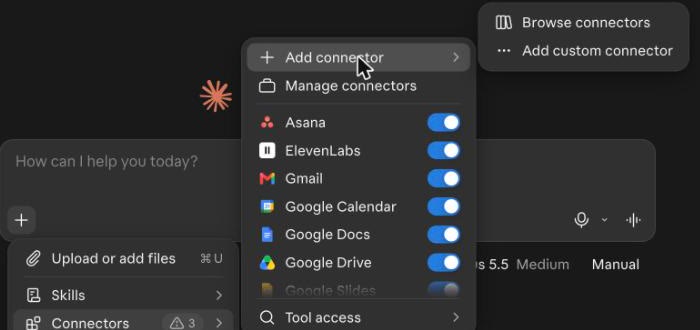
Click Browse connectors. 
Find Wunderlust and click Connect. From wunderlust.xyz
Open wunderlust.xyz/connect and click Add Wunderlust to Claude. The Wunderlust page in the Claude directory opens. Sign in to Claude if it asks, then click Connect to Claude.
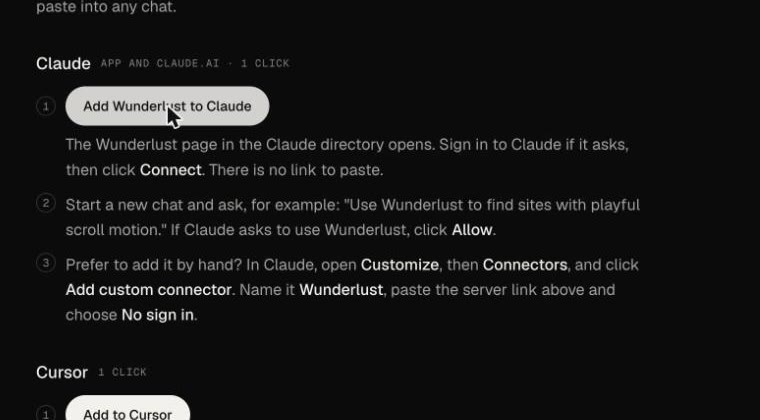
Click Add Wunderlust to Claude. 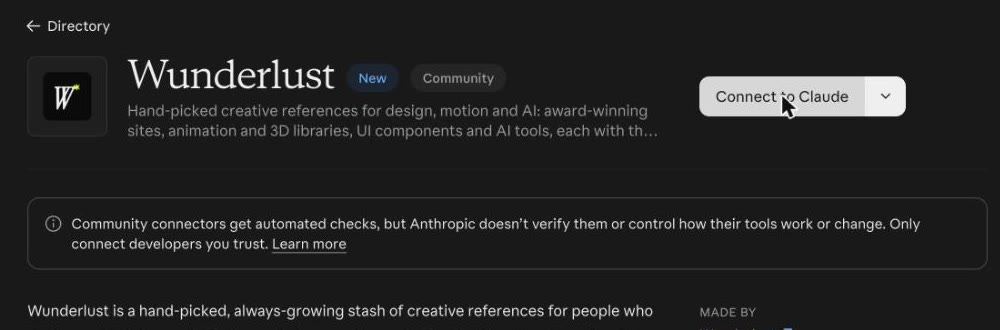
Click Connect to Claude. -
Check it is on
Start a new chat. Click +, then Connectors, and look for Wunderlust in the list. Its switch should be on.
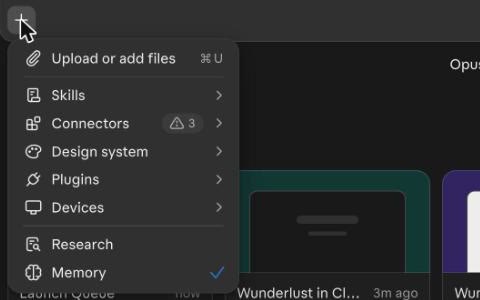
Click + and open Connectors. 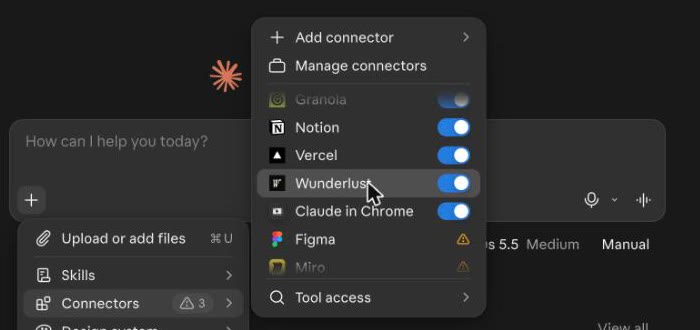
The Wunderlust switch is on. -
Ask
Ask in plain words, as you would ask a person. The first time, Claude asks if it can use Wunderlust. Click Always allow. Cards then appear in the chat, each with the idea worth exploring in it.
Use Wunderlust to find 3 sites with playful scroll motion.

Type what you are looking for. 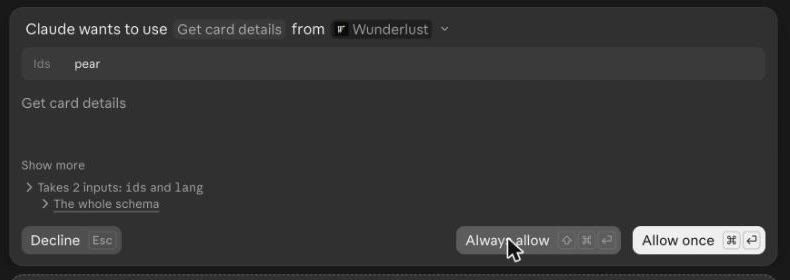
The first time, click Always allow. 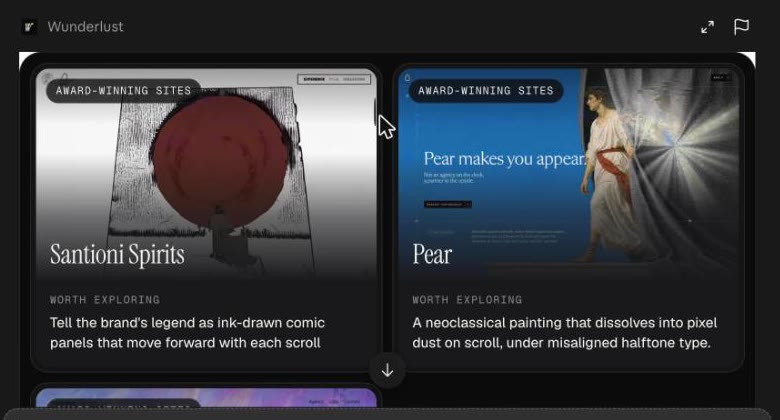
Cards appear in the chat, each with the idea worth exploring. -
Use it
Click Open all in Wunderlust to see the cards side by side, with video. Or ask Claude to build with one of them, and it uses the idea from that card.
Build a landing page hero for my design studio with the idea from Pear.
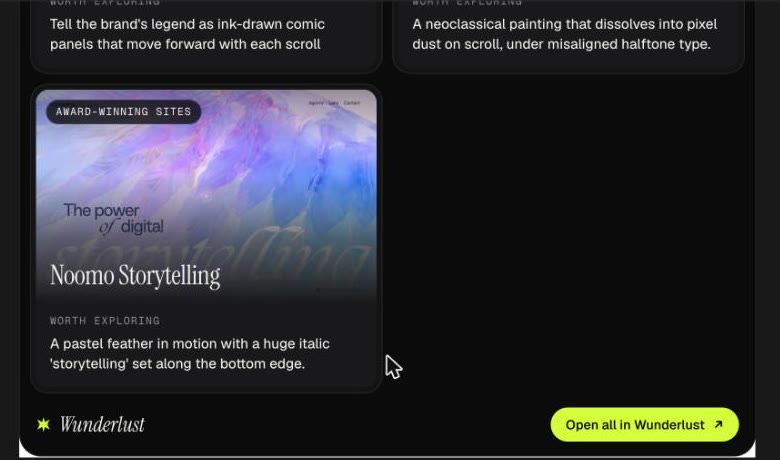
Click Open all in Wunderlust. 
Or ask Claude to build with an idea. 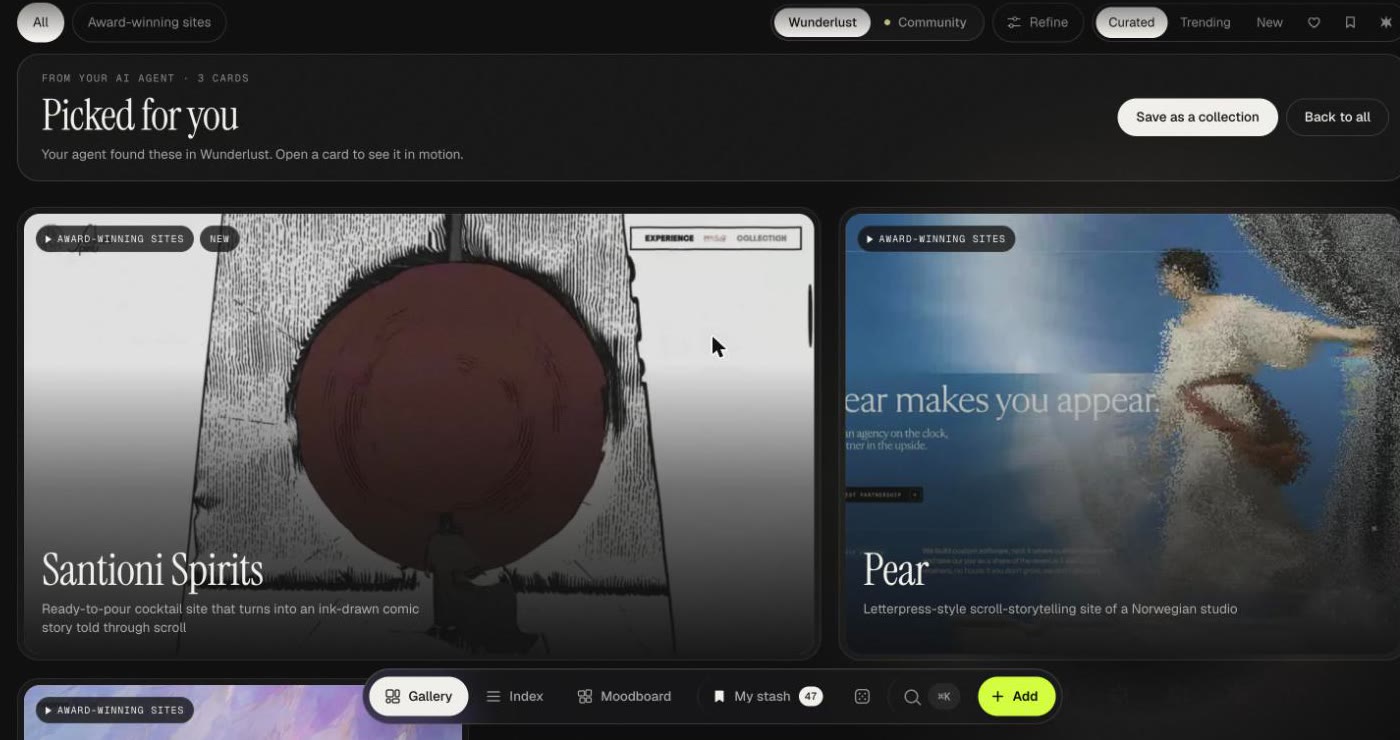
The board shows the cards side by side.
Things to ask
Copy one into a new chat, or use it as a starting point.
- "Use Wunderlust to find 3 sites with playful scroll motion."Sites
- "Use Wunderlust to find a Claude Code skill that helps me write better tests."A Claude Code skill
- "Use Wunderlust to find an AI tool for voice, and tell me what to watch out for."An AI tool
Using another app?
Wunderlust also works in Cursor, VS Code, Claude Code, Codex and ChatGPT. Connect your AI has the steps for each one.
Help: hello@wunderlust.xyz